Manage API keys
Generate, name, and revoke API keys from the dashboard.
API keys authenticate your requests. Manage them in the dashboard under Settings → API Keys.
Keys belong to your workspace: every key draws on the workspace's credits, and every member sees the same list. A key keeps working when the person who created it leaves the workspace.
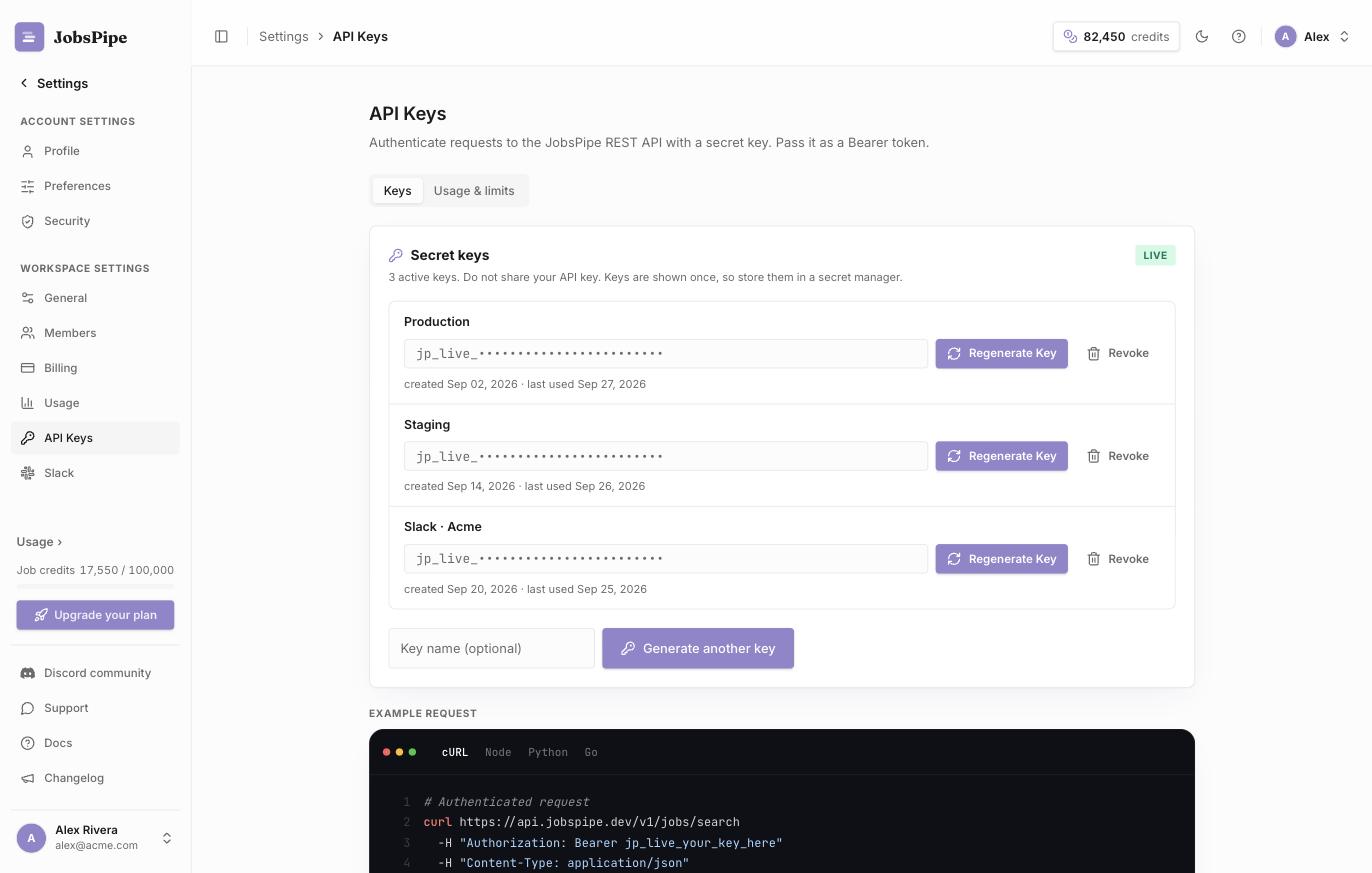
Generate a key
- Go to Settings → API Keys.
- (Optional) Enter a name to identify the key, e.g.
productionorstaging. - Click Generate API key.
- Copy the key now - it starts with
jp_live_and is shown only once. Store it in a secret manager.
Use it as a Bearer token on every request - see Authentication.
View your keys
The list shows each key's name, a masked prefix (jp_live_…), who created it, when it was created and when it was last used.
Revoke a key
Click Revoke next to a key and confirm. Owners and admins of the workspace can revoke any key. Revocation takes effect within about a minute; after that, requests with the key return 401. Revoking can't be undone; generate a new key to replace it.
Treat keys like passwords. Never commit them to source control or expose them in client-side code. If a key leaks, revoke it immediately and issue a new one.
Rotating keys
To rotate without downtime: generate a new key, deploy it, confirm its last used time updates, then revoke the old key.