Billing & plans
Upgrade, downgrade, and manage your subscription from the dashboard.
Manage your subscription in the dashboard under Settings → Billing. The subscription belongs to your workspace: every member shares its plan and credits, and its owners and admins manage it.
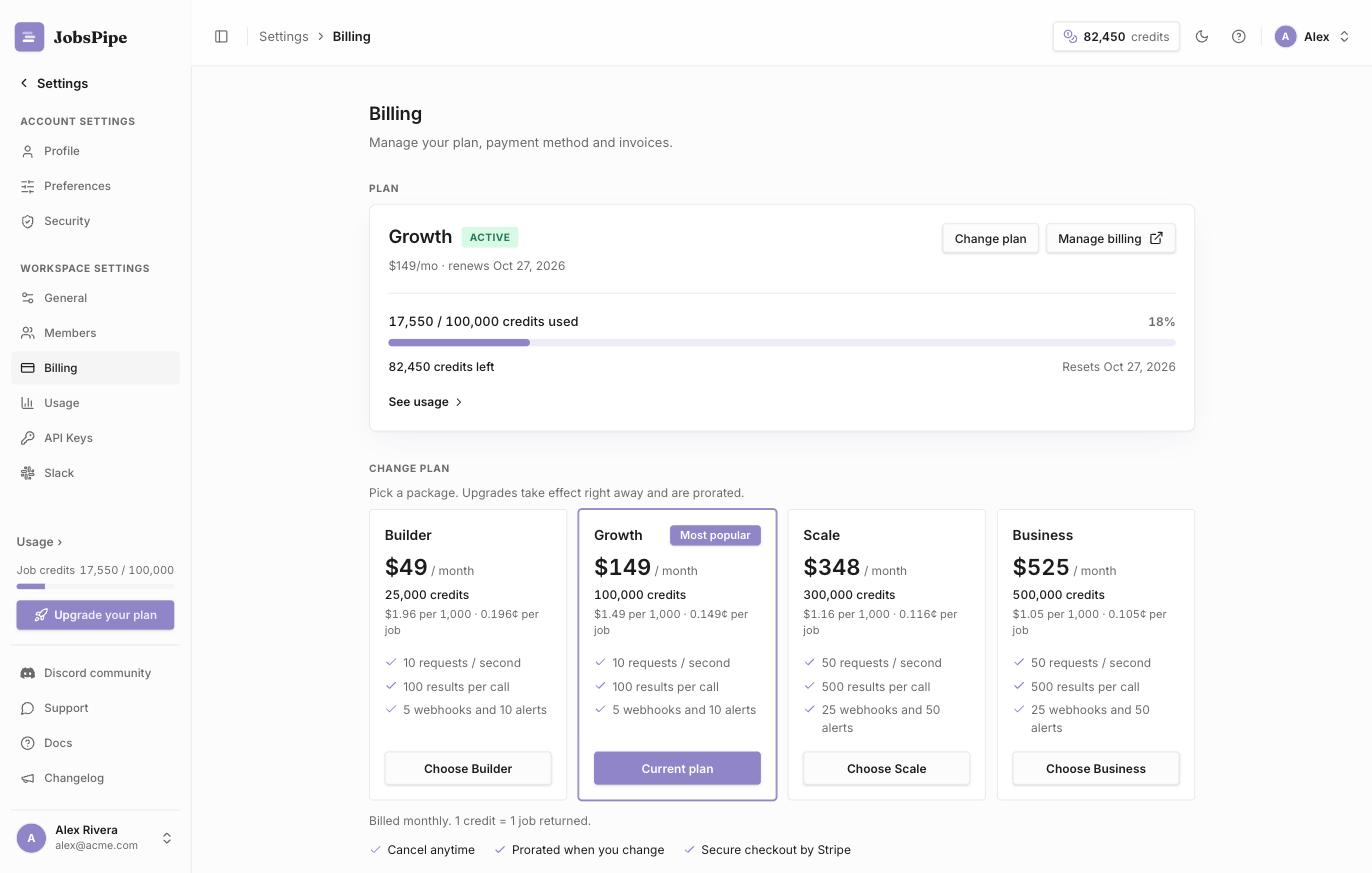
Your current plan
The Billing page shows your plan, its status and its monthly credits. Compare tiers on the plans page.
Upgrade or change plan
- On Free, you start with 1,000 credits, once. To continue after them, pick a package (Seeker, Builder, Growth, Scale or Business) and complete checkout.
- On a package, the same tiles change it. An upgrade applies within a minute, prorated, and raises your credits and rate limit. A downgrade takes effect at the next renewal.
- Buy credits. On any package, pick 5,000 to 500,000 credits and pay once at your package's rate. They never expire and are used after the monthly allowance.
- Auto-recharge (optional). Set a monthly budget and JobsPipe buys 5,000 credits at your package's rate whenever the allowance runs out, instead of returning
402.
Renewal and cancellation
Packages renew automatically each month at the price shown at checkout until you cancel. Credit purchases are one-time charges. Auto-recharge charges only when you have set a budget, and never more than that budget.
To cancel, open Settings → Billing → Manage billing and cancel in the billing portal. Cancellation takes effect at the end of the billing period, and you keep your credits until then. To also remove your data, delete your account.
Payment and invoices
Manage billing opens the billing portal, where you update your payment method, download invoices and cancel.
A 402 before month-end means you are out of credits. Its body carries credits_used, credits_included and an upgrade_url that opens Billing with a package sized to your usage. Watch the Usage page to see it coming.